Configuration
Every feature can be set globally in the published config file, or overridden per panel on the plugin. A value set on the plugin wins; where none is set, the config value is used.
// config/recently.php
return [
    'model' => Awcodes\Recently\Models\RecentEntry::class,
    'user_model' => App\Models\User::class,
    'max_items' => 20,
    'width' => 'xs',
    'global_search' => true,
    'menu' => true,
    'icon' => 'heroicon-o-arrow-uturn-left',
    'max_stored_items' => null,
    'prune_after_days' => null,
    'track_records' => false,
    'include_trashed_records' => false,
];
| Key | Purpose |
|---|---|
model |
The Eloquent model used to store entries. Swap it to extend the default. |
user_model |
The model entries belong to. Used by the migration's foreign key and the user relationship. |
max_items |
How many entries the menu lists. |
width |
Width of the dropdown. |
global_search |
Whether entries are searchable through global search. |
menu |
Whether the topbar menu renders at all. |
icon |
Icon for the menu trigger. |
max_stored_items |
How many entries are kept per user. null keeps everything. See Pruning history. |
prune_after_days |
Age in days after which model:prune removes entries. null disables it. See Pruning history. |
track_records |
Store a reference to each entry's record so entries for deleted records are hidden. See Deleted records. |
include_trashed_records |
With track_records on, keep showing entries for soft-deleted records. |
These options are global only; they can't be set per panel. If you published the config file before these keys existed, add them to use the features. Missing keys fall back to the defaults above.
Note
max_items limits how many entries are displayed. On its own it doesn't prune what is stored, so the recent_entries table keeps growing as users browse unless you turn on pruning.
Global search
By default entries are listed in the panel's global search results, under their own Recently group:
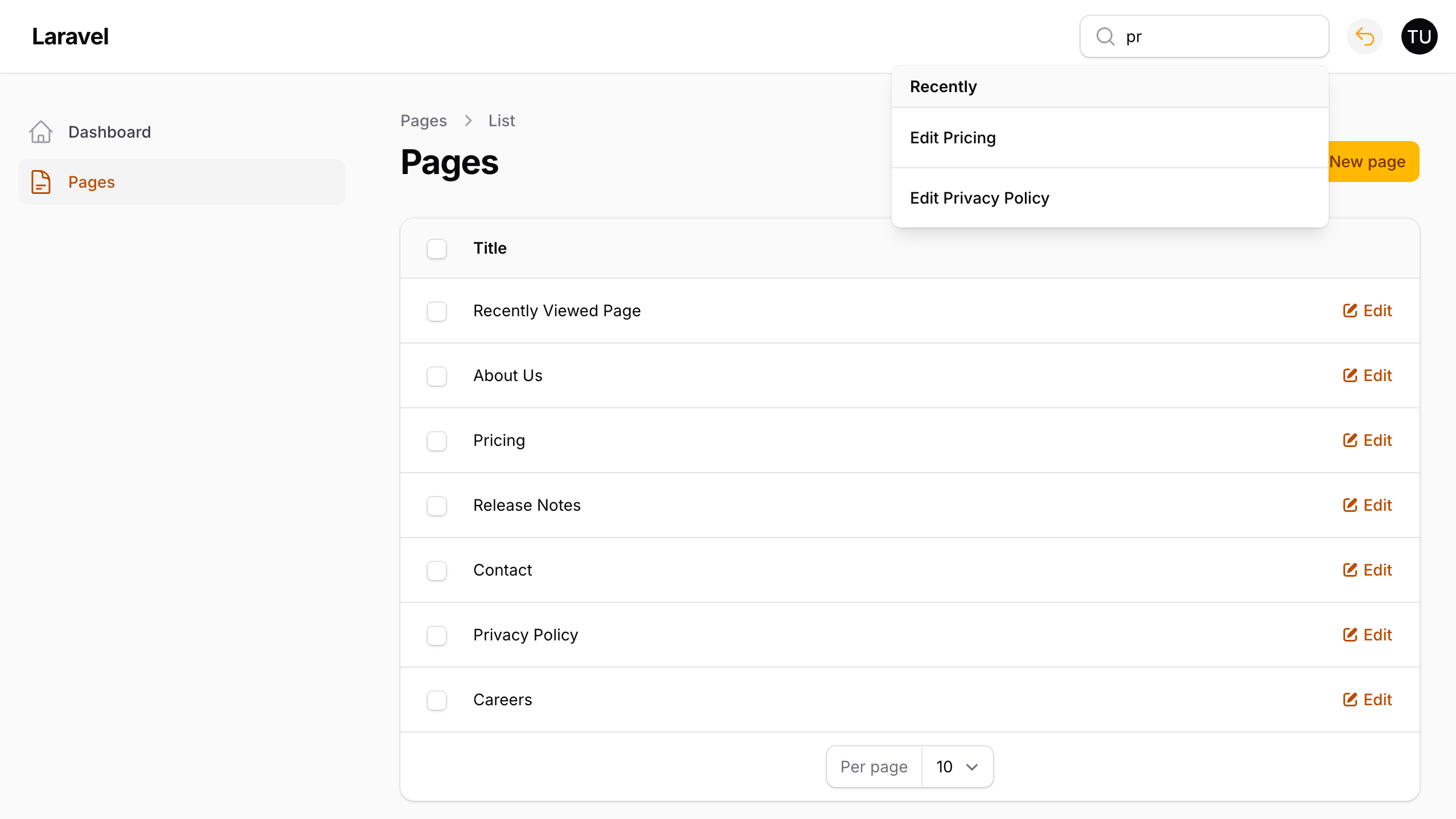
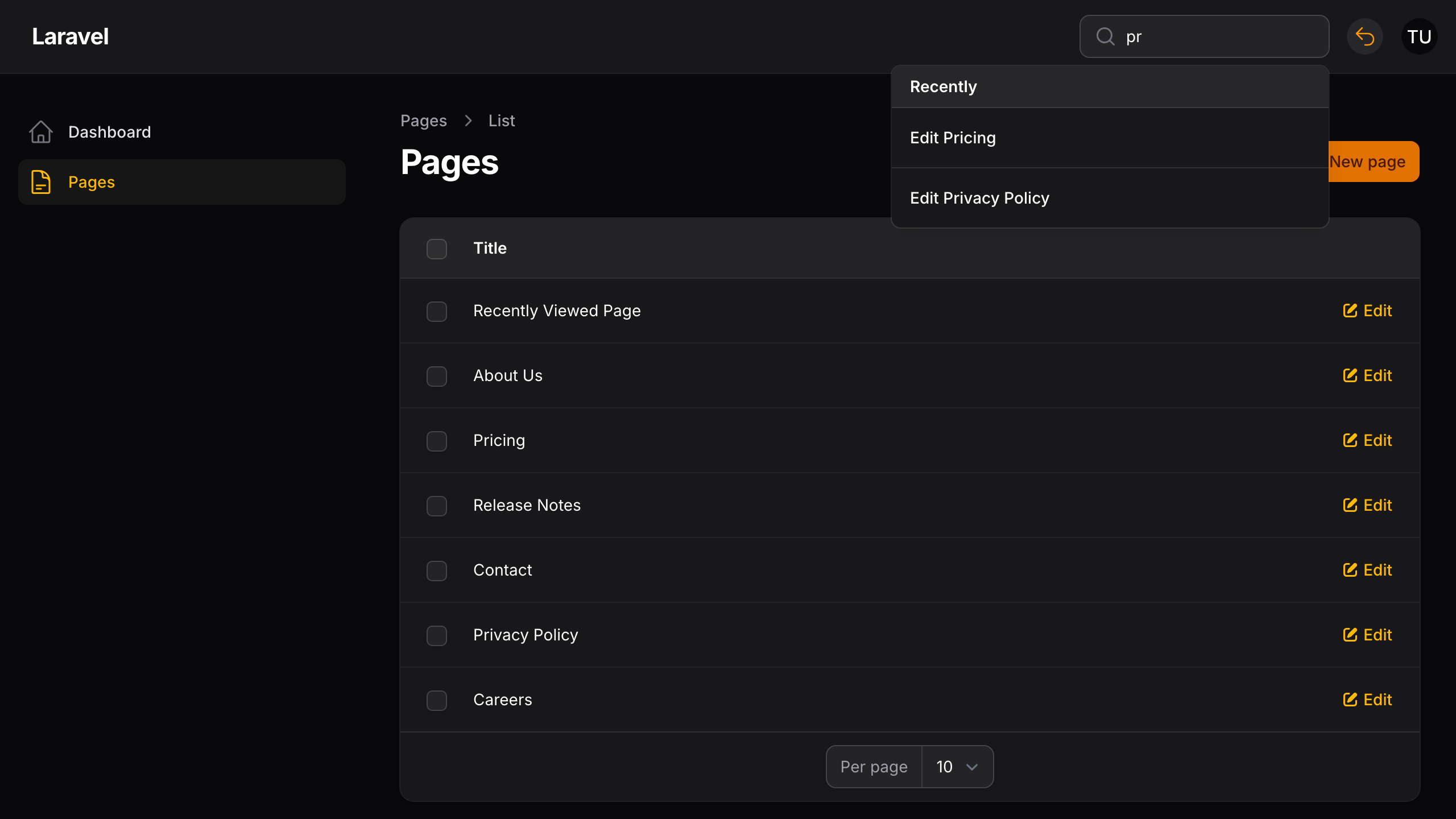
To turn that off, set global_search to false in the config, or pass false per panel:
use Awcodes\Recently\RecentlyPlugin;

public function panel(Panel $panel): Panel
{
    return $panel
        ->plugins([
            RecentlyPlugin::make()
                ->globalSearch(condition: false),
        ]);
}
This also controls whether RecentEntryResource is registered on the panel at all, which is what the conflicts in Usage are about.
Menu
By default the plugin renders a dropdown in the topbar. To turn it off — leaving only global search — set menu to false in the config, or pass false per panel:
use Awcodes\Recently\RecentlyPlugin;

public function panel(Panel $panel): Panel
{
    return $panel
        ->plugins([
            RecentlyPlugin::make()
                ->menu(condition: false),
        ]);
}
Max items
Set how many entries the menu lists, overriding max_items for this panel:
use Awcodes\Recently\RecentlyPlugin;

public function panel(Panel $panel): Panel
{
    return $panel
        ->plugins([
            RecentlyPlugin::make()
                ->maxItems(10),
        ]);
}
Entries are ordered by when they were last visited, newest first.
Pruning history
By default every entry is kept. There are two independent ways to bound the recent_entries table, and both are off until you turn them on.
Keep the latest entries per user
Set max_stored_items to keep only each user's most recently visited entries. Older ones are deleted as new entries are recorded:
// config/recently.php
'max_stored_items' => 50,
Keep this at or above the largest max_items / ->maxItems() across your panels. Otherwise the menu can't list as many entries as it's configured to.
Remove entries older than a number of days
RecentEntry uses Laravel's mass pruning. Set prune_after_days, then schedule model:prune for the model. The command only discovers models in app/Models on its own, so pass the model explicitly:
// config/recently.php
'prune_after_days' => 90,
// routes/console.php
use Awcodes\Recently\Models\RecentEntry;
use Illuminate\Support\Facades\Schedule;

Schedule::command('model:prune', [
    '--model' => [RecentEntry::class],
])->daily();
Running the same command once by hand is also a quick way to clear out a table that has already grown large.
Deleted records
Entries store a URL, so by default an entry for a record that's since been deleted stays in the menu and global search and leads to a "not found" page. Turn on track_records to have each entry also store a reference to its record. Entries whose record no longer exists are then hidden:
// config/recently.php
'track_records' => true,
This needs the recordable columns. They're created by the add_recordable_to_recent_entries_table migration, which new installs get automatically. If you installed an earlier 3.x release, publish and run it before turning the option on:
php artisan vendor:publish --tag="recently-migrations"
php artisan migrate
Migrations you've already published are skipped, so only the new one is added.
How entries are treated with track_records on:
- Entries for soft-deleted records are hidden too. Set
include_trashed_recordstotrueto keep showing them, for example if those records stay viewable in your panel. - Entries recorded before the option was on have no record reference, and they're always shown.
- When
max_stored_itemsis set, entries for deleted records don't count toward it and are removed the next time the user's history is pruned.
Note
The migration uses nullableMorphs(), so the ID column follows your application's default morph key type. If your models use UUID or ULID keys, call Schema::morphUsingUuids() or Schema::morphUsingUlids() before running it, or edit the published migration.
If you've swapped model for your own class, it needs to extend Awcodes\Recently\Models\RecentEntry for these features to work.
Entries recorded through the HasRecentHistoryRecorder trait pass their record automatically. If you call Recently::add() yourself, pass the record as the record argument:
use Awcodes\Recently\Facades\Recently;

Recently::add(
    url: $url,
    icon: 'heroicon-o-document',
    title: $post->title,
    record: $post,
);