Usage
Using Panelist takes three steps: register the plugin on your panel, generate a Panelist page for a resource, and make that page the resource's index page.
Register the plugin
Add PanelistPlugin to your Filament panel provider:
use Awcodes\Panelist\PanelistPlugin;

public function panel(Panel $panel): Panel
{
    return $panel
        // ...
        ->plugins([
            PanelistPlugin::make(),
        ]);
}
Create a Panelist page
Each resource that uses Panelist has its own page class extending Awcodes\Panelist\Pages\PanelistPage. Generate one with the make:panelist-page command:
php artisan make:panelist-page PostResource
The command accepts the resource's class name or its fully qualified class name. If you omit it, the command lists your panels' resources and asks you to pick one.
It writes the page into the resource's Pages directory, named Manage{PluralModel} by default:
namespace App\Filament\Resources\Posts\Pages;

use App\Filament\Resources\Posts\PostResource;
use Awcodes\Panelist\Pages\PanelistPage;

class ManagePosts extends PanelistPage
{
    protected static string $resource = PostResource::class;
}
Use --name to choose a different class name. The command will not overwrite an existing page unless you pass --force.
Tip
To change the generated code, publish the stub with php artisan vendor:publish --tag="panelist-stubs". The command uses the published copy when it exists.
Register it as the index page
Point the resource's index page at the new class in getPages():
public static function getPages(): array
{
    return [
        'index' => Pages\ManagePosts::route('/'),
        'create' => Pages\CreatePost::route('/create'),
        'edit' => Pages\EditPost::route('/{record}/edit'),
    ];
}
Navigating to the resource now renders the Panelist layout instead of the standard list page. Your existing form() and table() definitions work unchanged.
Keeping the create and edit pages registered is optional. It lets global search, notifications and other links that call PostResource::getUrl('edit') keep working.
Working in the layout
The sidebar shows the resource's table as a scrollable, searchable list. Clicking a row opens the record in the editor, where you can save your changes, cancel, or delete the record. The page's create action, and the button in the editor's empty state, open a blank form for a new record.
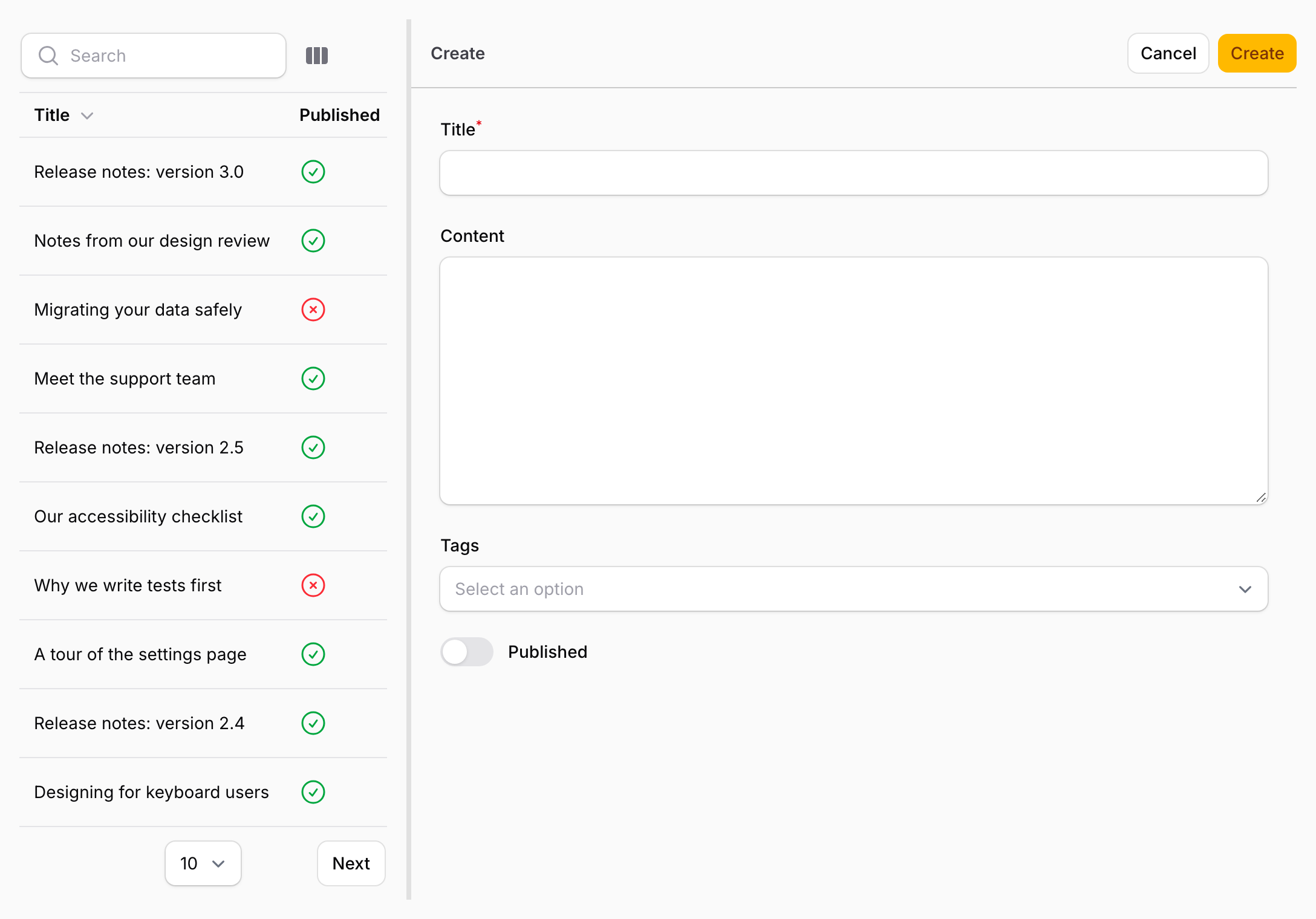
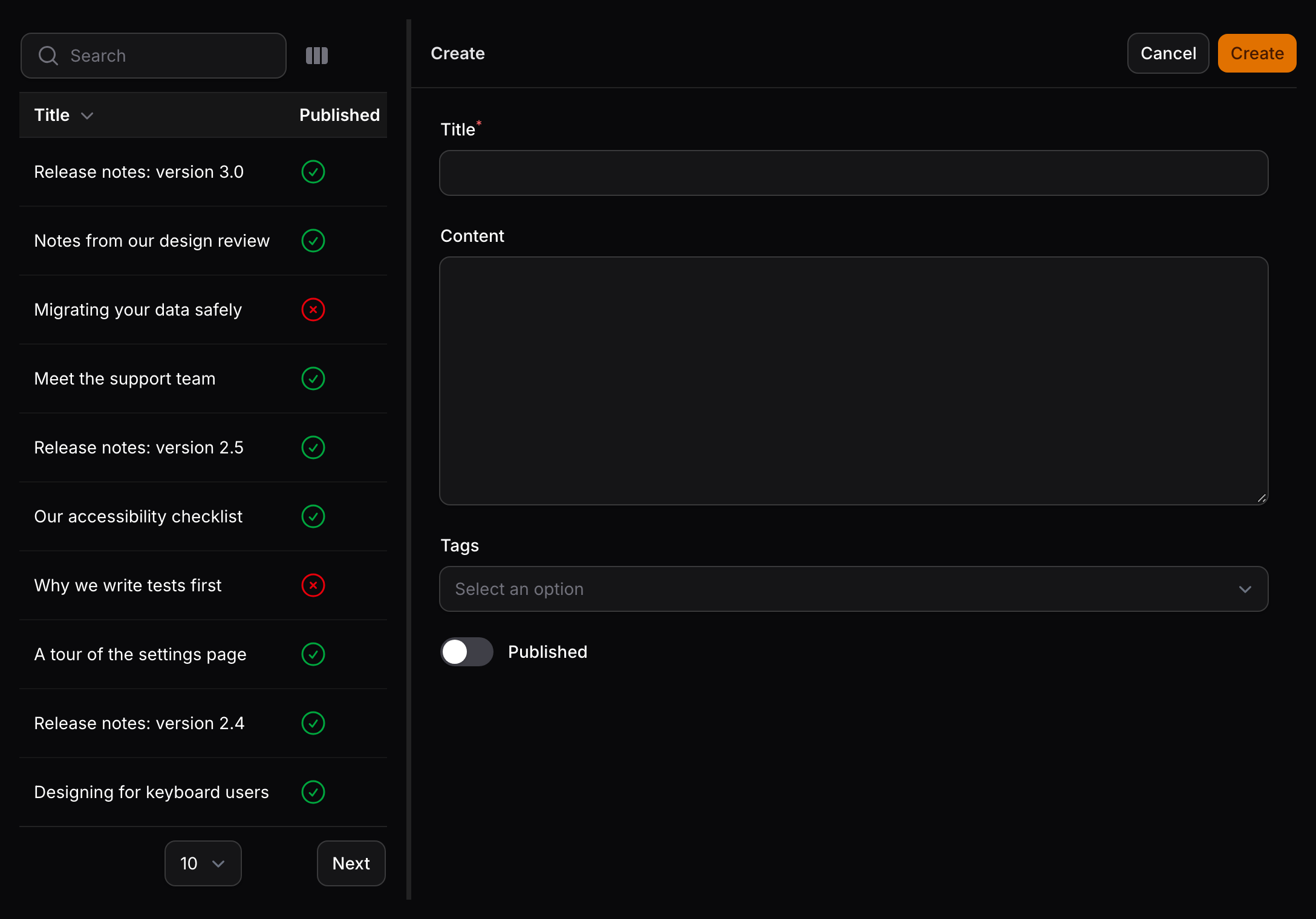
The selected record's key is kept in the query string, such as ?record=123, so the link can be bookmarked or shared and opens the same record. Opening a record, creating one, cancelling and deleting all keep the query string up to date.
Drag the divider between the panels to resize the sidebar, between 200 and 600 pixels wide. Panelist remembers the width in the browser's localStorage. The initial width is set by the sidebar_width option.
Authorization and scoping
Panelist applies the same rules as Filament's own resource pages:
- The page requires the resource's
viewAnyauthorization. - The create action is only shown when the resource's
canCreate()allows it, and the delete action only whencanDelete()allows it for the record. - A record only opens in the editor when the resource's
canEdit()allows it, and these checks are repeated when the record is saved or deleted. - Records are loaded through the resource's
getEloquentQuery(), so tenancy and other query scoping apply to the list, to links with?record=, and to saving.
A record that does not exist, is outside the resource's query or cannot be edited is not opened. The editor shows the same notice in each case, so it does not reveal which records exist.