Tile
A tile heatmap places one tile per key at an explicit row and column. Use it for anything with a meaningful arrangement: racks in a server room, desks on a floor, machines on a production line. It is built from values keyed by tile:
['east-1' => 83, 'east-2' => 42, 'west-1' => 97]
Layouts
A layout describes geometry only: which tiles exist, where each one sits, and what it is called. It never holds values, colors or levels.
Each tile is a Tile with a key, a short label drawn on the tile, a row and a column, and
an optional full name used for tooltips and screen readers. Rows and columns start at 1.
use Awcodes\Thermal\Layouts\Tile;

Tile::make('east-1', 'E1', row: 1, column: 1, name: 'East 1');
Without a name, the short label is used everywhere.
Defining a layout
For a reusable layout, extend TileLayout and return the tiles from tiles():
use Awcodes\Thermal\Layouts\Tile;
use Awcodes\Thermal\Layouts\TileLayout;

class DatacenterLayout extends TileLayout
{
    protected function tiles(): array
    {
        return [
            Tile::make('east-1', 'E1', row: 1, column: 1, name: 'East 1'),
            Tile::make('east-2', 'E2', row: 2, column: 1, name: 'East 2'),
            Tile::make('west-1', 'W1', row: 1, column: 3, name: 'West 1'),
            Tile::make('west-2', 'W2', row: 2, column: 3, name: 'West 2'),
        ];
    }
}
For a one-off layout, pass the tiles to the constructor instead:
$layout = new TileLayout([
    Tile::make('a', 'A', row: 1, column: 1),
    Tile::make('b', 'B', row: 1, column: 2),
]);
The grid is as large as the furthest row and column. Positions without a tile stay empty, so the second column in the example above is an aisle between the two racks.
A layout rejects duplicate keys and two tiles placed at the same position with an
InvalidArgumentException.
Matching data keys
Data keys match tile keys exactly by default. To accept other spellings, override
resolveKey(), which returns the tile key a data key refers to, or null when there is no
such tile:
public function resolveKey(int | string $key): ?string
{
    $key = strtolower((string) $key);

    return $this->hasTile($key) ? $key : null;
}
Keys that do not resolve to a tile are ignored, including when scaling. When several keys resolve to the same tile, their values are added together. The U.S. States layout uses this to accept abbreviations in any case and full state names.
Widget
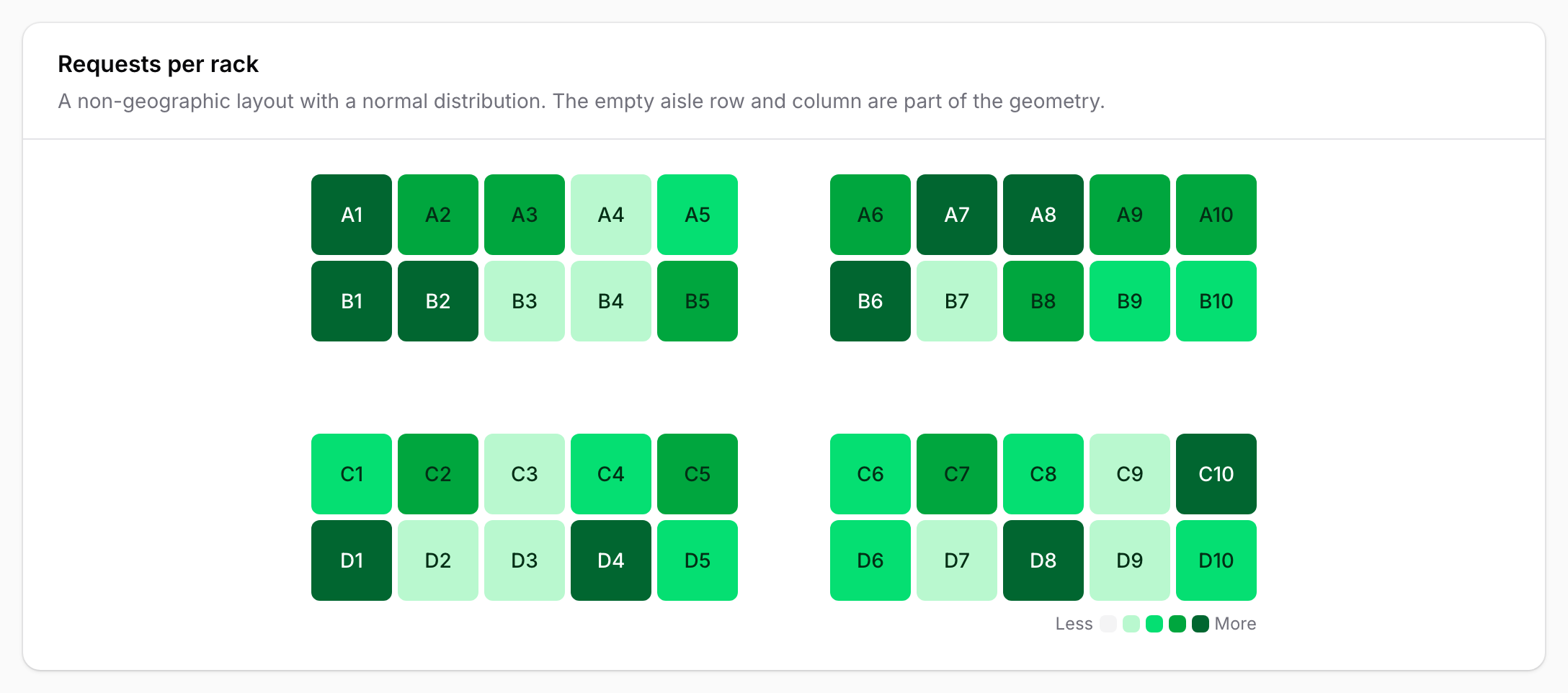
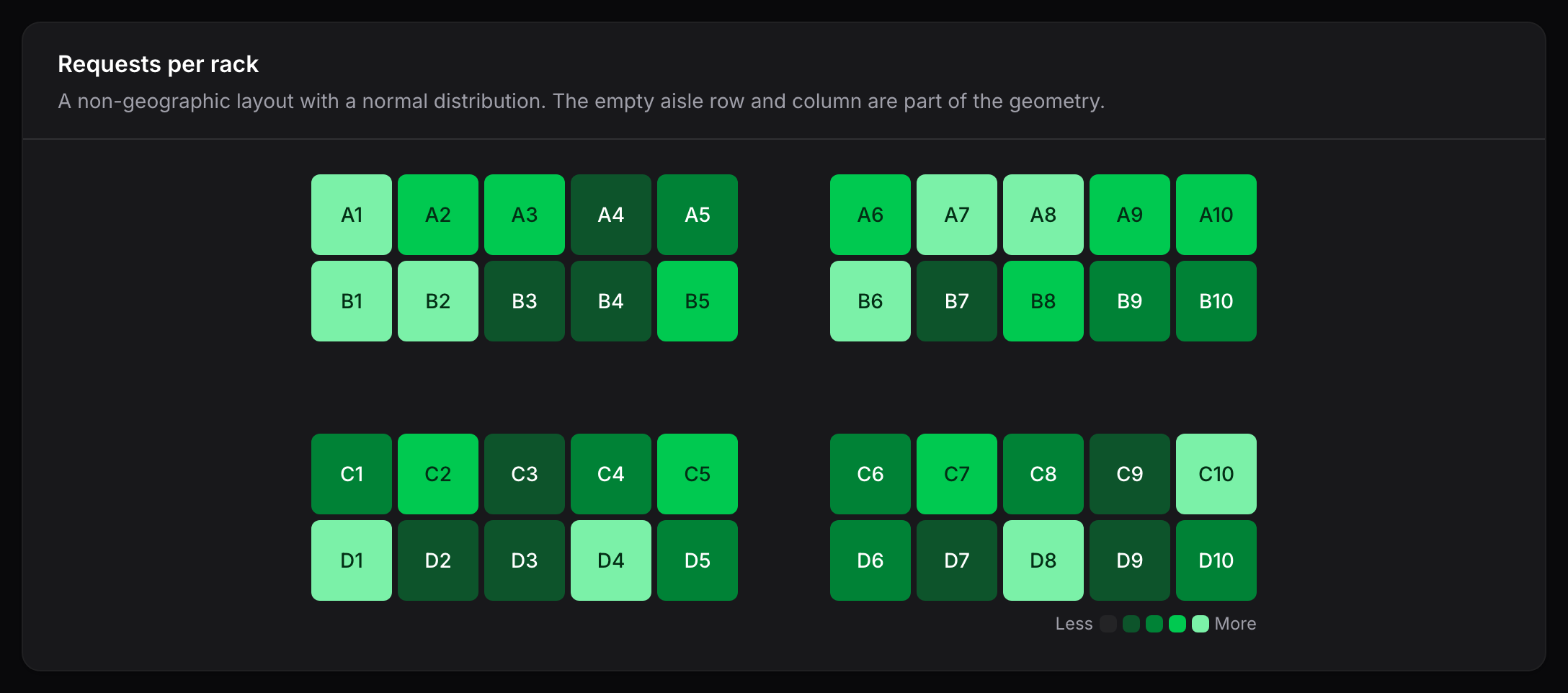
Extend TileHeatmapWidget, return a layout from getLayout() and your values from
getData():
use Awcodes\Thermal\Layouts\TileLayout;
use Awcodes\Thermal\Widgets\TileHeatmapWidget;

class DatacenterHealth extends TileHeatmapWidget
{
    protected ?string $heading = 'Datacenter health';

    protected ?string $unit = 'request';

    protected function getLayout(): TileLayout
    {
        return new DatacenterLayout;
    }

    protected function getData(): array
    {
        return ['east-1' => 83, 'east-2' => 42, 'west-1' => 97];
    }
}
Entry
TileHeatmapEntry renders the same tiles inside a read-only schema. It requires a layout,
given as an instance or a closure:
use Awcodes\Thermal\Entries\TileHeatmapEntry;

TileHeatmapEntry::make('racks')
    ->layout(new DatacenterLayout)
    ->data(fn (Datacenter $record): array => $record->requestsPerRack())
    ->unit('request');
Without data(), the entry uses its state. An entry without a layout throws a
LogicException when it renders.
Labels and tooltips
Each tile shows its short label. The default tooltip combines the full name and the value,
such as East 1 — 83 requests, or West 2 — no data for a tile without data.
Responsive behavior
Tile geometry is meaningful, so tiles never wrap onto new rows. They shrink with the container from 3.5rem down to 2rem, and below that the grid scrolls horizontally inside its own area. The grid and its legend are centered in the available space.